
A plug-in double-temperature island freezer should not be specified with the phrase “two temperatures” alone. The buyer needs to define which merchandise belongs in each zone, what temperature requirement applies to each product group, how the supplier will document the available zone settings, and how the completed unit will be checked after installation.
The current XCCOLD product record identifies a plug-in, island-type, double-temperature unit for frozen-food retail and describes independently controlled zones. It does not give buyers permission to invent setpoint ranges, pull-down times, load limits, electrical data or refrigerant details. Put every required value on the RFQ and ask for the current quotation and model datasheet to confirm it.
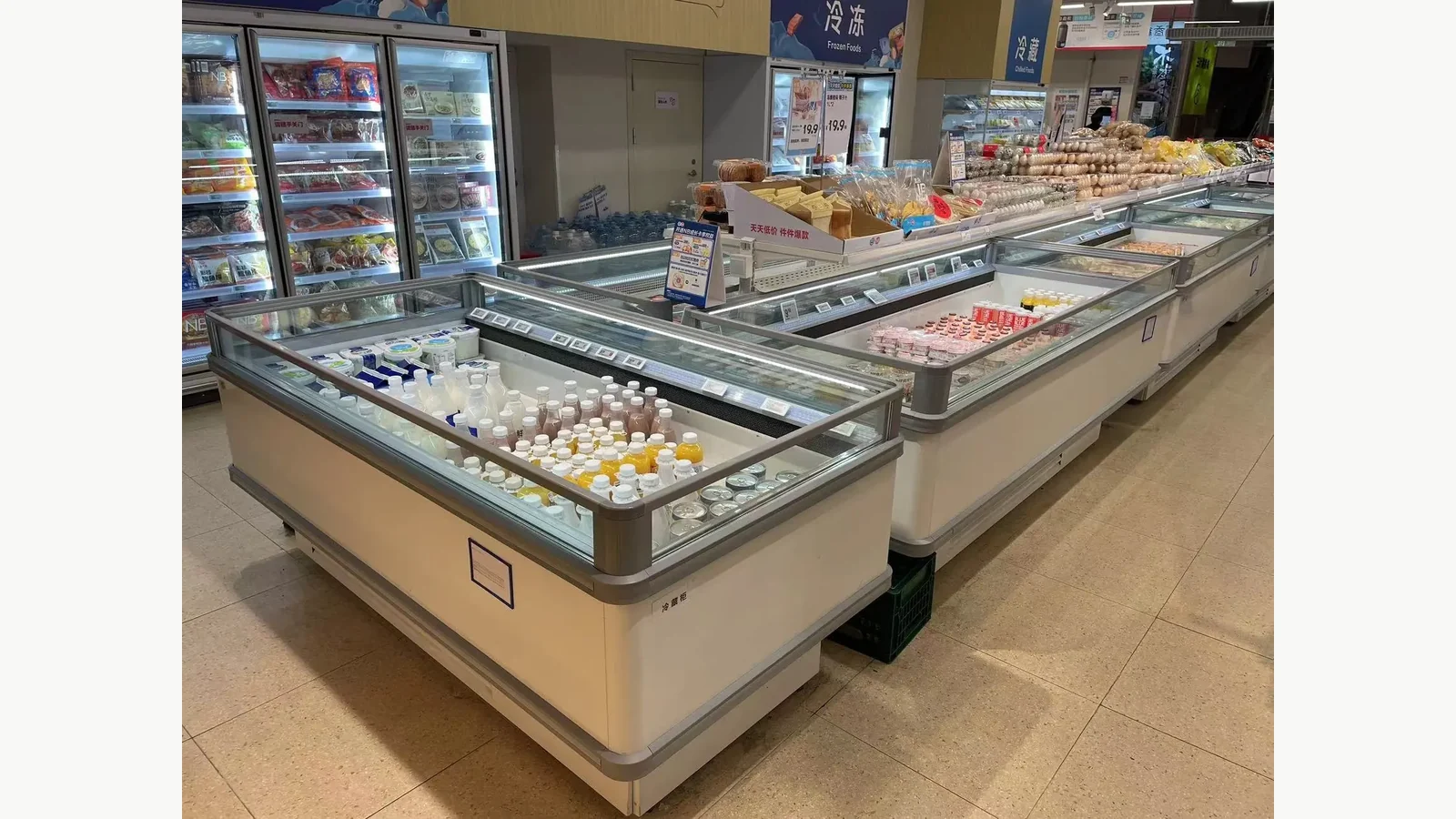
Start With the Merchandise, Not the Cabinet Name
Create two lists before discussing equipment:
- Zone A assortment: exact product categories, packaging formats, case dimensions and required product-temperature policy.
- Zone B assortment: the same fields for the second temperature group.
If the store has no operational reason to separate two product groups, “double temperature” is not yet a complete requirement. Conversely, if the assortment includes products with different storage rules, a cabinet label does not prove compatibility. The food-business operator remains responsible for defining product storage conditions, local compliance and the temperature evidence required for each category.
For each zone, estimate the normal facings and refill quantity. Note whether staff load cartons, trays, bags or loose packs; the largest pack; and the acceptable customer reach. These inputs help the supplier discuss usable configuration without promising capacity from an external model.
Tie the RFQ to the Exact Product Entity
Use the exact plug-in double-temperature combined island freezer as the inquiry landing page. The published product tags—Plug-in, Island Type and Double Temperature—distinguish it from remote-system island cases and single-temperature variants.
The product page and current WordPress media show a low island arrangement with sliding lids and separate merchandising areas. That visual evidence can support layout discussion. It cannot establish the final number of sections, zone allocation, temperature range or cabinet dimensions for an order until the current quotation identifies the selected configuration.
| RFQ block | Required buyer input | Supplier evidence to request |
|---|---|---|
| Zone A | Merchandise and required storage condition | Available range/setpoint method for quoted configuration |
| Zone B | Merchandise and required storage condition | Available range/setpoint method for quoted configuration |
| Assortment layout | Facings, pack sizes and refill quantity | Proposed basket/divider and section arrangement |
| Store plan | Aisles, queue, pillars and adjacent equipment | Quoted external dimensions and service clearances |
| Utilities | Site voltage/frequency and outlet plan | Nameplate electrical data, plug/connection and circuit requirements |
| Environment | Site design conditions | Supplier operating-condition requirements |
| Acceptance | Measurement points and stabilization procedure | Commissioning and temperature-check method |
Ask for Zone Evidence in Writing
“Independent control” needs an order-specific handoff. Ask the quotation to identify:
- how the two zones are named on the controls and drawings;
- the available range or setpoint limits for each zone in the quoted configuration;
- whether the controls are physically separated or use a shared interface;
- the sensor location and display relationship stated by the supplier;
- any permitted combinations or restrictions between the two zones;
- the alarm, display or logging functions included, if any;
- the conditions and loading state used for supplier performance data;
- the recommended commissioning and stabilization method.
A temperature range from a generic island-freezer category cannot be copied into this model. The exact zone values have to come from the current product quotation or datasheet. If the buyer requires a specific frozen or chilled range, state it as a requirement and wait for written confirmation.
Convert the Store Plan Into an Equipment Line
Plug-in equipment still needs a planned location. Mark every island section on a scaled floor plan. Include columns, checkout queues, promotional displays, doors, walls and adjacent refrigerated equipment. Show the customer circulation route and the route staff will use for refilling.
Measure the narrowest delivery point from unloading area to final position: door clear openings, lift dimensions, corridor turns, ramps and floor transitions. A cabinet that fits the sales floor can still fail at the delivery path.
The broader commercial island freezer buying guide covers the initial decision between installation types and store formats. This article stays with the double-temperature RFQ handoff: two merchandise groups, two verified zone requirements and one coordinated store plan. The published island freezer loading-line and basket-layout guide then helps turn the approved pack mix into a controlled merchandising plan.
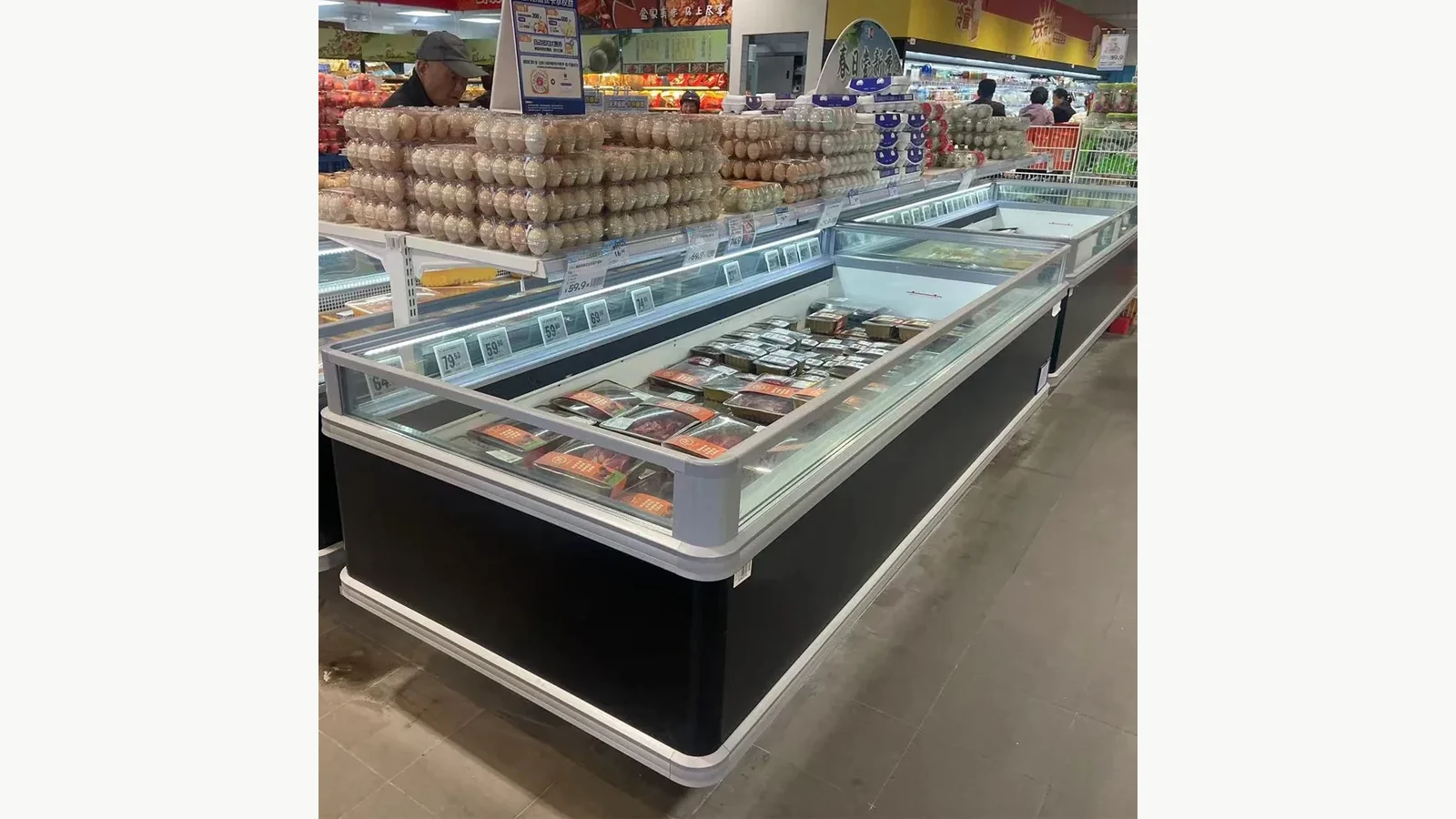
Keep Airflow and Service Areas Out of the Merchandise Plan
Treating every visible internal area as saleable loading space would ignore the supplier's operating boundaries. The buyer should request the loading limits, air-return and air-discharge boundaries, basket/divider arrangement and service-access requirements for the quoted unit. Merchandise placement must follow the documented loading method.
Place expected package dimensions on the plan. Tall or loosely stacked items can interfere with lids, customer reach and the supplier's loading boundary. A photo of a well-filled store is useful as a merchandising reference, not as proof that another package mix is acceptable.
The store team should also identify which sides technicians must reach and which panels or components may not be blocked. Keep neighbouring fixtures clear of a service area unless the current installation manual explicitly permits the arrangement.
Make the Drawing Part of the Revision-Controlled Quote
The current product media includes a sectional drawing for the double-temperature island freezer. Use it as proof that model-specific geometry exists, but request the drawing that belongs to the final quotation. It should carry a model/configuration reference, revision or date, overall dimensions, relevant internal dimensions and any protective-rail or service allowances.
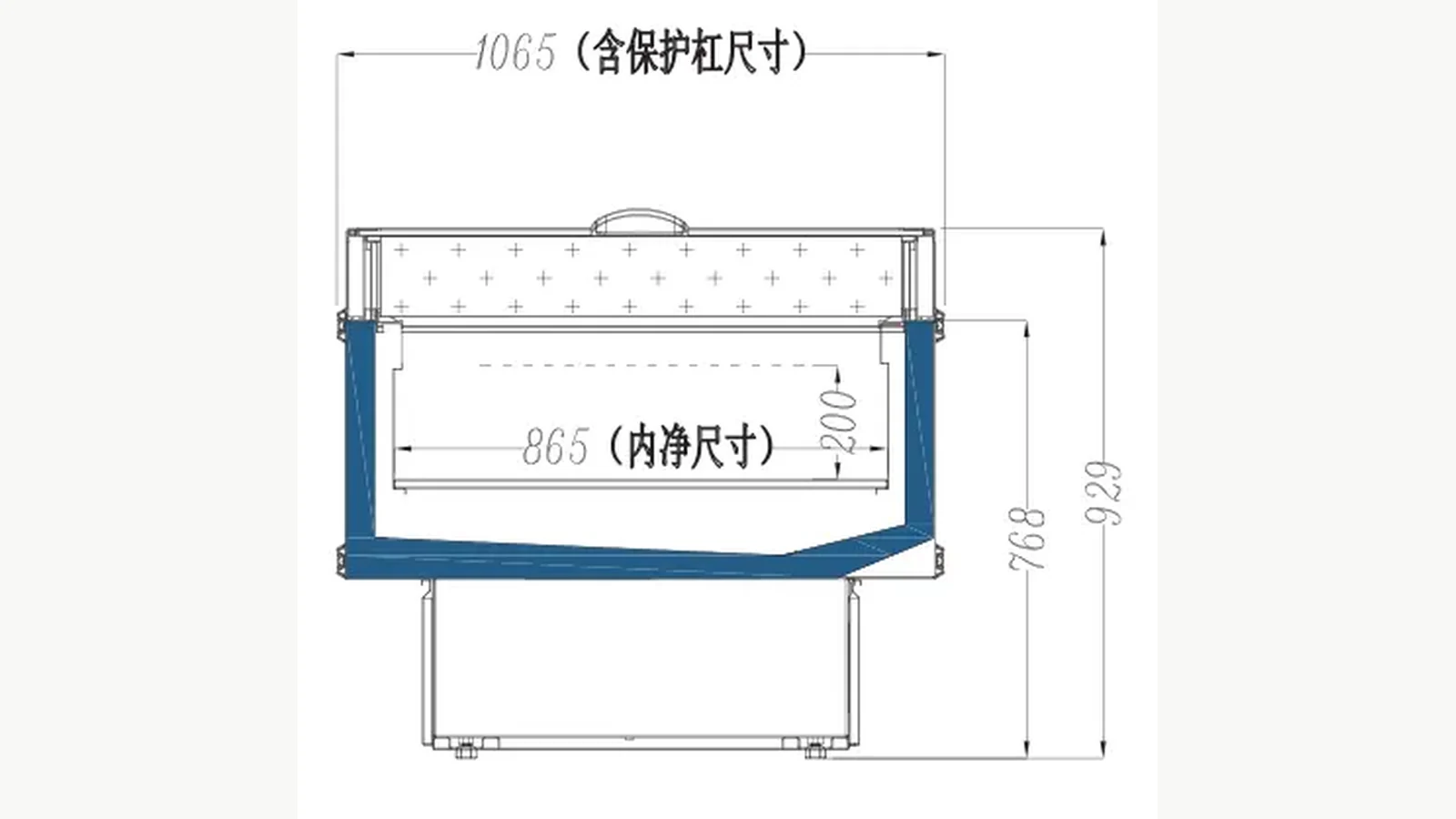
If the quotation changes the number of sections, end units, lids, baskets, controls or branding, ask whether the drawing and utility schedule also change. Procurement, store design and receiving should all work from the same revision.
Confirm Utilities Before Release
For each unit or lineup, send the actual site voltage, frequency, outlet type, available circuit information and local electrical requirements. Ask the supplier to return nameplate power, current, plug or connection arrangement, cord details and circuit recommendations for the quoted model. A plug-in label does not mean any nearby outlet is automatically suitable.
The responsible electrician or facilities engineer approves the site supply. Keep extension leads, adapters and improvised shared circuits out of the purchasing assumption. If condensate management or drainage is required by the quoted configuration, place that requirement on the store-services plan as well.
Create a Receiving and Commissioning Checklist
Before unloading, match the shipment label to the purchase order and approved drawing. Inspect packaging and visible cabinet condition. Record accessories, baskets, dividers, lids, control components and documents. Quarantine damage or missing items before the equipment is moved into a tightly planned lineup.
After placement and connection by qualified personnel, follow the supplier's documented settling, start-up and stabilization procedure. The acceptance record should identify:
- quoted model and configuration;
- serial number or equipment ID;
- nameplate electrical data;
- Zone A and Zone B control identification;
- empty or loaded test condition;
- measurement instrument and check points;
- start, stabilization and reading times;
- display readings and independent product-simulation readings where required;
- alarms or exceptions;
- person approving release to merchandising.
Illuminated displays alone are not acceptance evidence. The test needs to confirm the order-specific zone requirements under the agreed procedure.
Control the Assortment After Handover
Label the approved Zone A and Zone B assortment plan for store staff. When a product category, pack size or required storage condition changes, review the zone assignment instead of placing the new item wherever space is available. Keep loading and lid operation within the supplier's documented limits.
Trend temperature evidence according to the operator's food-safety plan. A display is one operating reference; it does not remove the operator's responsibility to manage product temperatures and corrective action.
Send a Two-Zone RFQ
Send XCCOLD the Zone A and Zone B product lists, required storage conditions, package sizes, facings, store plan, delivery path, site utilities and acceptance method. Ask the supplier to return the exact configuration, current drawing, zone-control evidence, accessories and installation requirements in one revision-controlled quotation.
That package turns “double temperature” from a catalogue phrase into a buyer decision that can be designed, received and tested.