
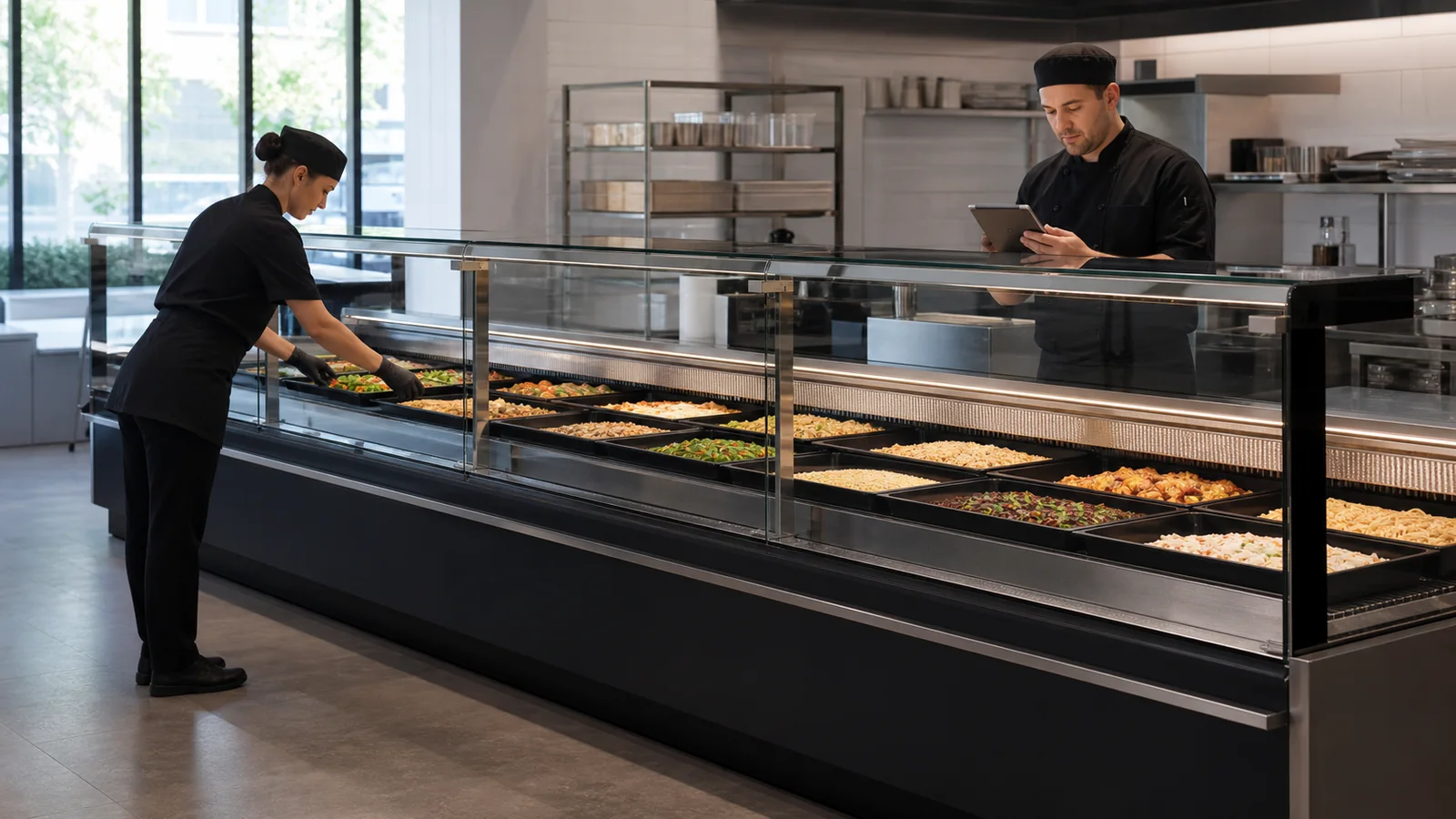
A deli counter can look ready from the customer side while the rear-service team is still resolving trays, labels, cleaning release, or an equipment observation. An opening handoff establishes one moment when the identified straight-glass prepared-food display is accepted for setup under the store's procedures. It records the current tray map and exceptions without turning floor staff into refrigeration technicians or mixing the counter with a fresh-meat application.
Verify the Prepared-Food Counter
Record store, asset ID, selected deli food showcase counter, straight-glass structure, lineup section, rear-service access, specified duty, and opening owner. This article does not apply to a curved-glass counter or a straight-glass fresh-meat showcase. Product category, glass shape, and application must all match.
Compare the asset with the current operating sheet and approved tray map. If the installed structure or section IDs differ, correct the record before opening rather than reusing a nearby counter's document.
Release the Empty Display
The responsible team should verify that accessible display surfaces and approved removable trays or components have been handled under manufacturer and store cleaning procedures. Record visible glass, tray, light, door or rear-access, drainage, loose-part, and general condition observations without diagnosing technical causes.
Food handling, hygiene, allergen, holding, and timing requirements must follow the operation's validated procedures and applicable local obligations. This equipment article does not replace them. Any electrical, refrigeration, structural, or safety concern belongs with qualified personnel.
Set the Tray and Label Map
Use a current map showing counter section, tray ID or position, prepared-food category, label or menu reference, service-tool area, and reserved space. Keep customer display information separate from internal setup notes.
Place empty trays first and inspect the arrangement from customer and rear sides. Never force trays into a space or improvise stacked levels that are not part of the selected counter and approved operating plan. Record any mismatch as an exception.
Load Through a Controlled Service-Side Sequence
Stage product and tools so staff can work from the rear without crossing unrelated items or blocking access. Follow the store's approved prepared-food handling process. Load by mapped section and update the setup status as each area is completed.
Remove temporary cartons, cloths, documents, and tools from the display before final review. Customer-visible glass and labels should reflect the approved opening state, while rear access remains workable.
| Opening Gate | Evidence | Release Owner |
|---|---|---|
| Counter identity | Asset, structure, application, section IDs | Store/project record owner |
| Empty display | Accessible-condition and cleaning release | Responsible hygiene/operations role |
| Tray map | Empty-layout photo and current revision | Deli supervisor |
| Product setup | Section completion and labels | Assigned setup staff |
| Final opening | Customer/rear views and exception status | Opening handoff owner |
Keep Exceptions Outside the Normal Handoff
Give each unresolved issue a location, description, discovery time, photo, responsible owner, action, and status. Examples include a missing tray, unreadable label, damaged accessible component, visible moisture, glass concern, blocked rear access, or a map that does not fit the actual counter.
State whether the affected section is held, adjusted under an approved plan, or awaiting qualified service. Never allow an exception to disappear because the rest of the counter is loaded.
Complete the Opening Record
The final handoff should identify asset, date, map revision, empty-display release, setup staff, completion photos, open exceptions, and accepting supervisor. Store the current version where later shifts can distinguish it from yesterday's setup.
At close or the next opening, use the same section IDs to record recurring problems and layout changes. Repetition may show an operational issue that deserves a map review, maintenance request, or project discussion.
Use a Section-by-Section Opening Board
Divide the straight-glass deli counter into stable sections that match the tray map and rear-service workflow. For each section, show equipment release, tray status, product setup status, label status, exception ID, and accepting person. A simple board or digital view lets the opening owner see which sections are genuinely complete and which are waiting for a specific action.
Use status language carefully. Ready for tray setup is different from ready for product, and both are different from open for customer service. The store's validated food and hygiene controls determine the required gates. The equipment handoff contributes counter identity, visible condition, accessible-component release, and layout status without claiming complete food compliance.
Map the customer and staff handoff points. Prepared food moves from approved preparation or holding through the rear service side into mapped trays; customer service may include weighing, packaging, payment, or pickup at adjacent positions. Record fixtures that routinely block access, but keep the counter itself classified as the verified straight-glass deli structure. An operational conflict can be corrected without pretending the cabinet has another glass shape or application.
After opening, note early exceptions such as labels drifting from trays, a section being overloaded, service tools left in display space, access blockage, or repeated map changes. Assign them to the proper store or equipment owner. A brief opening review can then improve tomorrow's setup while preserving the current map revision. The section board creates transparency without turning one whole-counter complete mark into a cover for unfinished details.
Close the Loop at the End of Service
Opening records improve when the closing team reports what actually changed during trade. Note trays moved, labels corrected, sections held, visible equipment observations, cleaning access problems, and product zones that staff could not maintain. Link each point to the opening map and responsible owner. The next opening can then begin with a targeted review instead of repeating the same workaround. Keep food-control and technical service actions in their proper systems. The handoff record provides the connection while preserving the deli counter's verified straight-glass structure and prepared-food application.
Protect Customer-Facing Information
Check that product labels, prices, menu references, and promotional cards correspond to the correct prepared-food tray under the store's approved process. Temporary notes and internal status cards should remain outside customer display space. Record who verifies the final information and how corrections are made during service. This adds a customer-facing gate without treating a visible label as evidence of food identity or regulatory compliance on its own.
Buyer Checklist
- Confirm deli application and straight-glass rear-service structure.
- Record asset and section IDs before setup.
- Obtain the responsible empty-display and cleaning release.
- Place empty trays from the current approved map.
- Load prepared food only under the store's approved handling process.
- Log unresolved issues by exact section and owner.
- Complete customer-side and service-side photos with the accepted handoff.
Frequently Asked Questions
Can a fresh-meat counter opening sheet be reused?
No. The application and operating requirements differ even if both counters appear to use straight glass.
Does the opening sheet confirm food-safety compliance?
It is an equipment and setup record; the operation must follow its validated food-safety, hygiene, and regulatory procedures.
What if one section has an unresolved issue?
Identify and control that section under the store's procedure rather than hiding the exception in a whole-counter completion statement.
Related Product or Reading
Use the deli showcase counter layout guide for the earlier project-stage decisions that establish the service-side and customer-side arrangement.
Discuss the Exact Project
Send XCCOLD the exact deli-counter model, straight-glass structure, store layout, tray plan, rear-service workflow, prepared-food display needs, and technical questions.